


If your store isn’t getting the traffic or sales you’d expect, the problem is often hiding in plain sight: a slow-loading page, a missing meta description, images that aren’t indexed, keywords your customers actually search for, but you haven’t used. That’s exactly what an ecommerce SEO audit is for.
An SEO audit is how you diagnose what’s broken or underperforming before you try to fix it. Instead of guessing why rankings have stalled, you go through your site methodically – on-page elements, technical setup, product pages, meta tags – and identify the specific issues dragging you down.
This guide gives you both the checklist and the audit framework: what each area should look like when it’s working, how to check yours, and what to do when something’s off. If you’ve been doing some SEO work but aren’t sure it’s actually landing, this is where you start.
Understanding on-page SEO
On-page SEO is all about fine-tuning the parts you control — like product pages, meta descriptions, and internal links — so search engines can understand your content and rank it higher.
Think of it this way: search engines scan your site to see how well it matches what people are searching for. Elements like alt text, title tags, and schema markup make your content easier to interpret and rank. The better your SEO, the more people find your store and, more importantly, stay to shop.
Strong on-page SEO isn’t just for search engines — it’s for your customers, too. A well-structured site makes browsing effortless, keeps people engaged, and turns visits into sales — and that’s a win for everyone.
Audit your on-page SEO: Pick five of your top product or category pages. For each one, ask: Is the primary keyword in the H1 and naturally throughout the copy? Are there internal links pointing to it from other pages? Does the page have a unique meta description? If any of those are missing, that’s where you start.
Technical SEO essentials
Before diving into content optimization, let’s cover the technical side. Technical SEO ensures search engines can crawl, index, and understand your site – so you don’t miss out on valuable traffic and sales.
Setting up Google Search Console

Google Search Console is your go-to tool for monitoring and optimizing your ecommerce site’s performance. It helps track how search engines crawl your site, identify indexing issues, and uncover opportunities to improve rankings.
Here’s what you can do:
- Track performance reports to see which keywords drive traffic.
- Fix indexing issues flagged in the Index Coverage report.
- Use the URL Inspection Tool to check if pages are correctly indexed.
- Submit your XML sitemap, so Google understands your site’s structure.
- Monitor mobile usability and fix flagged issues.
Think of it as a health checkup for your website—fixing problems early keeps your SEO in shape.
Audit your Search Console setup: If you haven’t verified your store with Search Console yet, that’s job one. If you have, check the Coverage report for any “Excluded” or “Error” pages — these are pages Google either can’t index or is choosing not to. Fix errors first (they’re actively hurting you), then review excluded pages to make sure nothing important is being left out.
Improving site speed
A slow site frustrates customers, increases bounce rates, and lowers rankings. Luckily, boosting speed isn’t complicated:
- Compress images using tools like TinyPNG or ImageOptim.
- Use the proper formats—JPEG for photos, PNG for transparent graphics, and WebP for smaller file sizes.
- Enable lazy loading so images only load as users scroll.
- Minimize CSS and JavaScript to reduce load times.
- Use browser caching to speed up repeat visits.
Faster sites mean happier customers and better conversions. Every second you save counts!
Top Tip: Quickly resize and optimize images for your ecommerce store using Pixc’s Photo Resize App.
Audit your site speed: Run your homepage and a top product page through Google PageSpeed Insights. Look at your Core Web Vitals score — anything below 90 on mobile has room for improvement. The most common culprits on ecommerce sites are oversized images and render-blocking scripts. If images are flagged, the Photo Resize app handles bulk resizing automatically, so you don’t have to touch them one by one.
Ensuring mobile-friendliness
Most shopping happens on mobile, so a responsive site isn’t optional—it’s essential.
- Use a responsive design that adjusts to different devices.
- Make fonts readable without zooming.
- Make buttons and links easy to tap.
- Test with Google’s Mobile-Friendly Test to catch usability issues.
Google prioritizes mobile-friendly sites, so optimizing for mobile is an easy win for better rankings and conversions.
Audit your mobile experience: Pull up your store on your phone right now — not the desktop preview in a browser, your actual phone. Try to complete a purchase. Is anything hard to tap? Does text overflow the screen? Does the checkout load without layout issues? Real device testing catches things emulators miss.
Keyword research for ecommerce
Keyword research is the backbone of SEO. Choosing the right words helps your store rank higher and attract shoppers who are actually ready to buy.
Finding the right keywords
Primary keywords are short, high-volume search terms directly related to your products. Think “organic face cream.” They drive broad traffic and boost visibility.
- Why they matter: More searches mean more potential buyers.
- How to find them: Use tools like Google Keyword Planner, SEMRush, or Ahrefs to spot high-volume, low-competition keywords.
- What to Avoid: Overly broad terms that bring traffic but don’t convert.
Long-tail keywords are specific phrases, such as “organic face cream for dry skin.” Although they may get fewer searches, they attract the right shoppers—people ready to buy.
- Why they work: Less competition and higher conversion rates.
- Where to use them: Product descriptions, blog posts, title tags, and meta descriptions.
- How to find them: Use keyword tools, check search trends, and analyze customer questions.
Balancing both keyword types helps you reach a wider audience while still targeting serious buyers.
Optimizing product pages
Your product pages should do more than rank – they should convert. Here’s how to make them work harder for you:
Writing product descriptions that sell
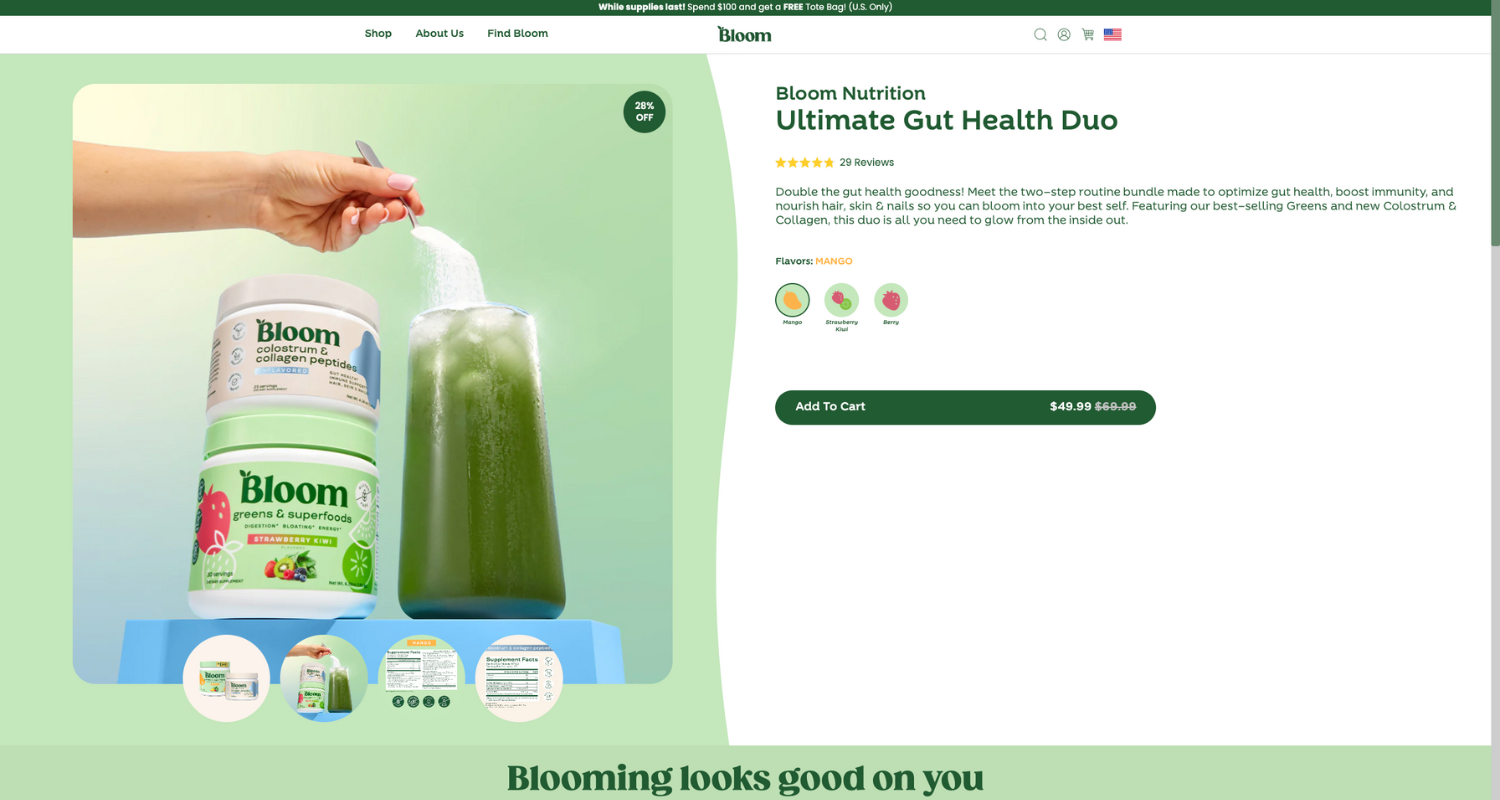
A great product description highlights key benefits, solves problems, and encourages action. Instead of just listing features, show how your product improves the customer’s life. Use primary and long-tail keywords naturally – no keyword stuffing. A simple call-to-action like “Add to cart today” can nudge shoppers toward a purchase.
Crafting click-worthy product titles
Your product title is a major ranking factor. Include the primary keyword at the start to keep it clear and informative. For clarity, add specifics like brand, size, or color.
Using high-quality, SEO-friendly images
Images matter for SEO and conversions. Use high-quality visuals that showcase your product from multiple angles. Optimize image file names (e.g., organic-face-cream.jpg) and add keyword-rich alt text. Compress images to maintain fast load times — nobody likes a slow site.
Missing or weak alt text is one of the most common product page issues, and it’s easy to fix. Pixc’s AI Alt Text app automatically generates descriptive, keyword-aware alt text for your entire product catalog — no manual work required.
Meta tags that get clicks
Meta tags — like title tags and meta descriptions — are your page’s first impression in search results. Get them right, and more people will click.
Writing compelling meta descriptions
Your meta description is your chance to grab attention. Keep it under 160 characters, use your primary keyword naturally, and make it engaging. A strong call-to-action like “Shop now” can drive more clicks.
For example:
“Shop our organic face cream—it’s hydrating, natural, and perfect for dry skin. Free shipping is available!”
Optimizing title tags
Keep your title tag under 60 characters, put your main keyword up front, and ensure it’s clear and easy to read.
For example:
“Organic Face Cream – Hydrating Skincare for Dry Skin.”
How to run your ecommerce SEO audit
The sections above cover what good SEO looks like. This section is about the actual process of auditing — working through your store systematically to find what’s broken and decide what to fix first.
Step one: Start with what you can already see
Before opening any tools, do a quick walk-through of your own store as a customer. Search Google for your top product. Does your site appear? What does the listing look like — is the title compelling, or does it cut off awkwardly? Is the meta description informative, or is Google pulling random text because you haven’t written one?
This five-minute exercise often reveals the most obvious problems.
Step two: Audit your technical health in Search Console
Log into Google Search Console and check three things:
- Coverage report — are any important pages excluded or erroring?
- Core Web Vitals — are your pages passing on mobile?
- Search results — which queries are bringing people to your site? Are there keywords you’re ranking on page two for that could move to page one with some optimization?
Pages ranking in positions 8–20 are the easiest wins. A bit of content improvement or better internal linking can push them onto page one without starting from scratch.
Step three: Audit your on-page elements
Go page by page through your top 10 products and category pages. For each one, check:
- H1 tag — does it include the primary keyword?
- Meta title and description — are they written (not auto-generated) and under the character limits?
- Image alt text — does every product image have descriptive alt text with relevant keywords?
- Page copy — is the keyword used naturally in the first paragraph?
- Internal links — are there links from other pages pointing here?
This is tedious to do manually across a large catalog. AI Alt Text takes the image alt text item off your list entirely — it generates and applies alt text automatically, including keyword context based on your product information.
Step four: Audit your images and site speed
Images are the single biggest cause of slow ecommerce sites. Run PageSpeed Insights on your homepage and two or three product pages. If “properly size images” or “serve images in next-gen formats” appear in the results, that’s your clearest action item.
The Photo Resize app gives you a repeatable system for this — it automatically resizes and optimizes every product image you upload, so your store stays fast without constant manual intervention.
For the rest of the speed checklist (caching, JavaScript, CSS), your Shopify theme handles a lot of this by default, but apps can add overhead. If speed is a problem, review your installed apps and disable any you’re not actively using.
Step five: Prioritize your fixes
After your audit, you’ll have a list of issues. Not all of them are equally urgent. Use this rough priority order:
- Indexing errors — pages Google can’t crawl don’t exist for SEO purposes. Fix these first.
- Core Web Vitals failures — especially on mobile. Speed issues affect every page.
- Missing meta titles and descriptions — these affect click-through rates on every impression.
- Missing or weak alt text — affects image search, accessibility, and page relevance signals.
- Thin product descriptions — pages with very little content are harder for Google to rank confidently.
- Internal linking gaps — important pages with no links pointing to them are harder to surface.
You don’t have to fix everything at once. A focused audit that fixes the top ten issues on your most important pages will move the needle faster than trying to optimize everything all at once.
Step six: Make it a repeatable system
An SEO audit isn’t a one-time project — it’s something to revisit every quarter, or whenever you add a significant number of new products or pages. The stores that compound their SEO gains over time are the ones that build a repeatable system: a consistent process for new product uploads (images sized, alt text added, descriptions written) and a quarterly review of Search Console data.
Set a reminder now. Future-you will be glad you did.
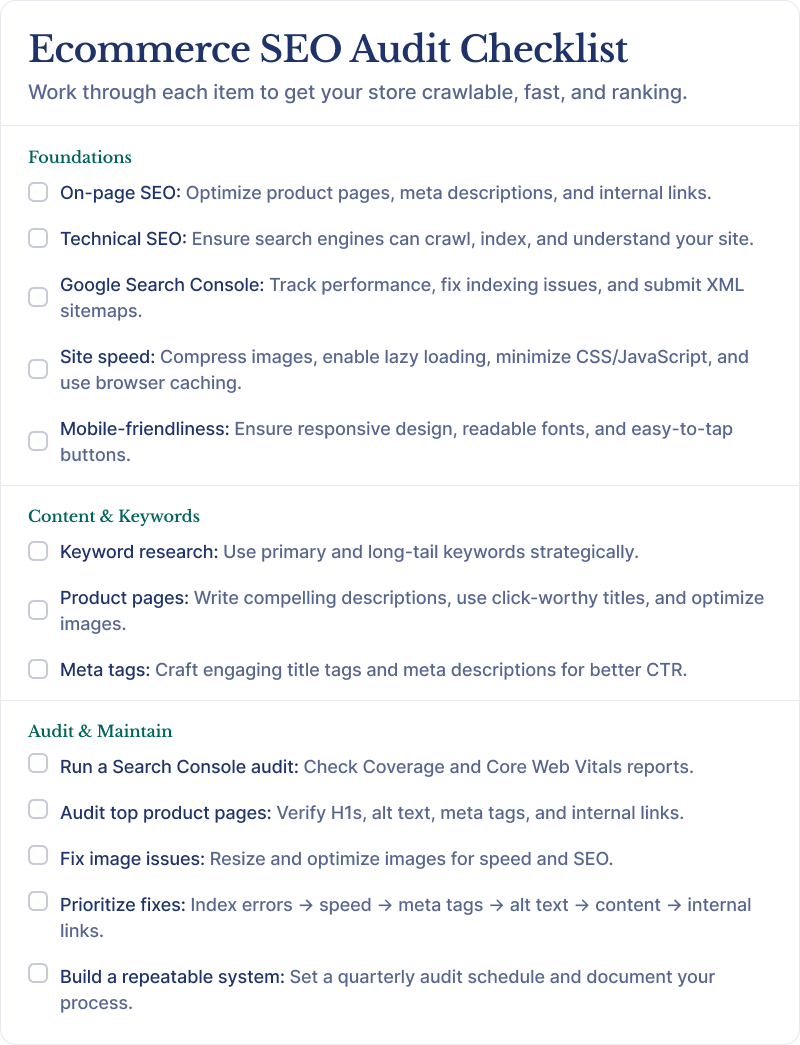
Ecommerce SEO Audit Checklist
Here’s a quick checklist covering all the essential SEO strategies discussed in this guide. Use this as a reference to ensure your online store is optimized for both search engines and customers:
Wrapping it up
On-page and technical SEO aren’t set-and-forget tasks — they need regular tweaks. But you don’t need to overhaul everything at once. An ecommerce SEO audit gives you a clear starting point: find what’s broken, fix the highest-impact issues first, and build a repeatable system so your store keeps compounding its gains over time.
Focus on site structure, speed, mobile friendliness, and product pages to keep your store ranking high and converting better. Follow this checklist, fine-tune as you go, and watch your online business grow.